
How to Share Billing on Google Cloud Platform
I un-angst it below


Skiing in the Desert
This is a photo of my brother surfing on the snow ski landing skid for one of the largest planes ever built. It would go under those huge wheels to the rear of the photo if the plane were landing on ice or heavy snow. We’re in Tucson, Az at the Pima Air Museum. No chance of using it there. But… the museum! Even if you don’t like airplanes, this place is amazing. Outdoor, indoor, filled with curious history and some of the weirdest aircraft ever built. It has nothing to do with analytics.
Often, I want my growing cloud data-stores to surf on big skis to a soft easy landing, and I’ve found that to be pretty tough when Google tells me that my client’s billing account needs an update to their credit card. That’s the time when I need to partner with my client and ask them to grant me access to billing as an owner so that I can make these changes for them. It takes trust. We establish that, and then it takes being able to actually do that simple task. It’s not super obvious, but it’s not hard.
Sharing Your Billing Account
Whether you’re sharing your Google Cloud Platform (GCP) environment with a developer, internally within your business, or asking your client to share their environment with you, it can be very helpful to additionally share rights to see and edit Billing.
It seems sensitive, but if you’re already sharing your Projects at the Admin level, then it’s not nearly as sensitive as the data asset in most cases. If we are given owner or edit access to BigQuery which allows us to run a “select * from <some table>”, walk away for a coffee, and totally overrun costs, it makes sense to be able to dip into the billing pond to be able to report on costs or to adjust the source of payment.
Steps to Share Billing
Go to console.cloud.google.com
Login with your Google email address with which you created your Billing account — Note: this email can be different than the email address that was used to create your project, or an email address that was later granted access (even owner) for your projects. They are usually not the same account. You can even create different billing accounts that run different projects in the same organization. The best practice is to use one account in an organization for billing to prevent a lot of confusion down the road.
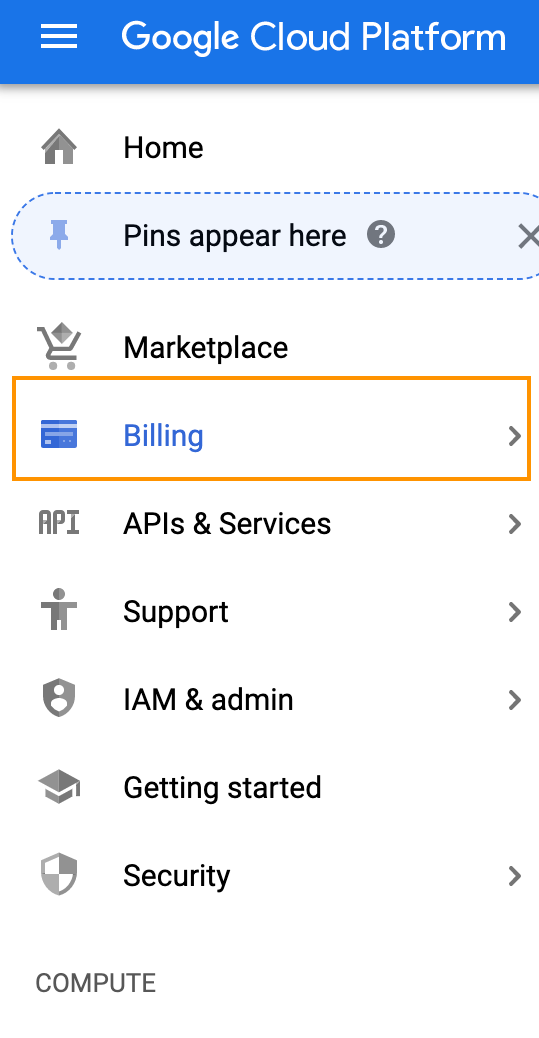
Click on Billing on the Left Menu
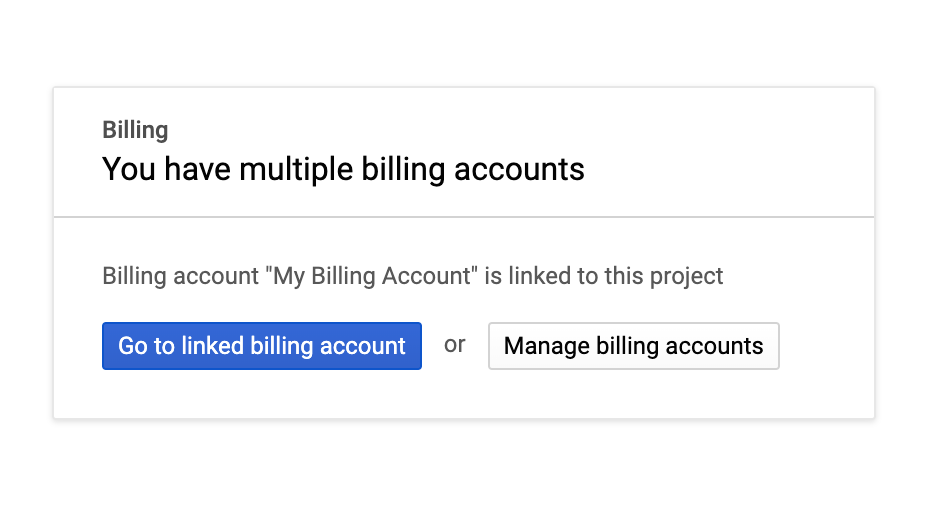
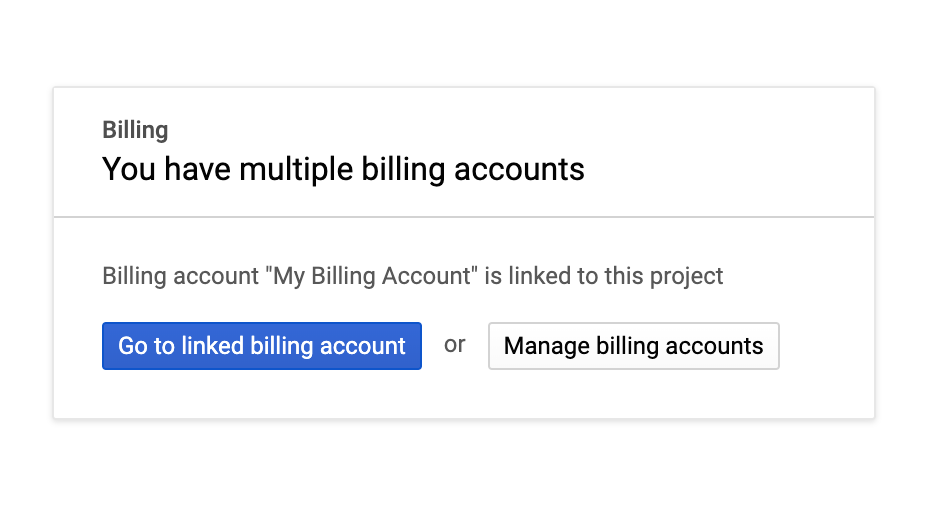
Click on "Go to linked billing account"
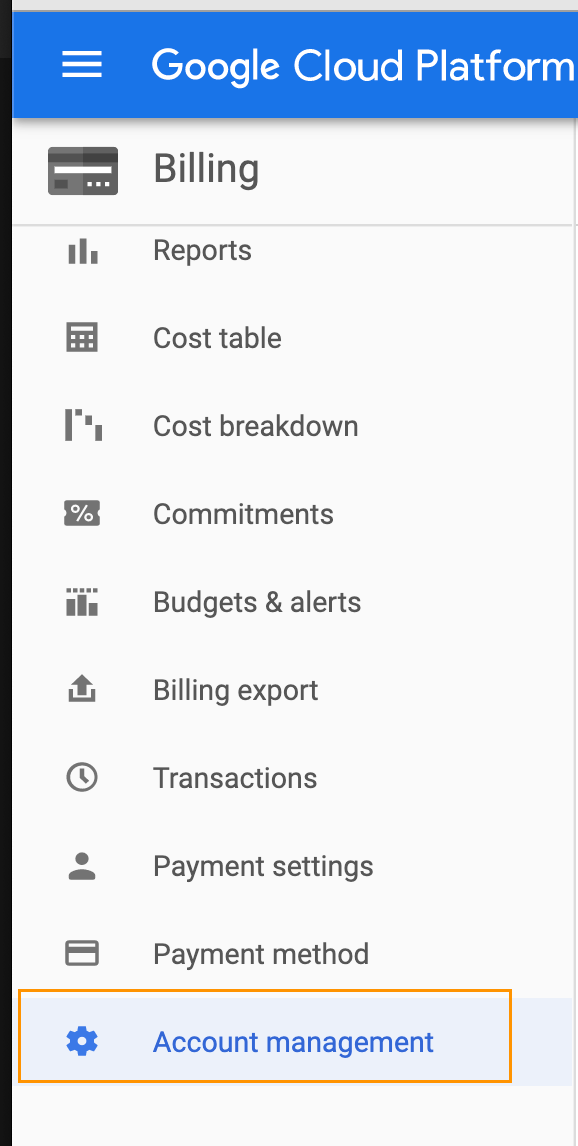
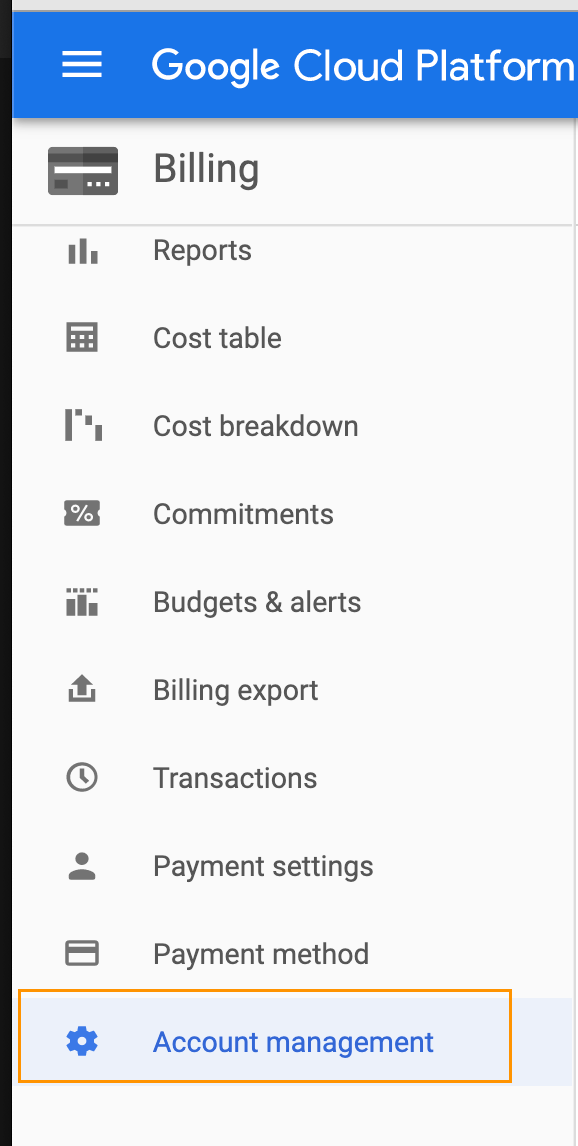
On the Left Menu, scroll down to Account Management and click on it
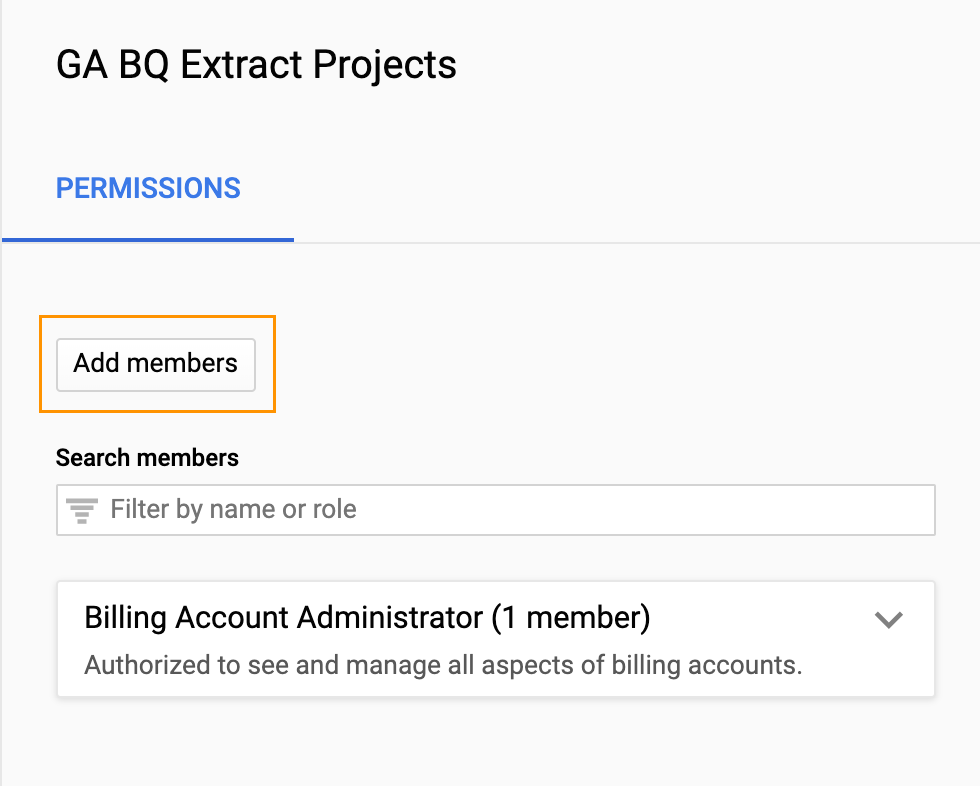
On the right side of the screen, click "Add members"
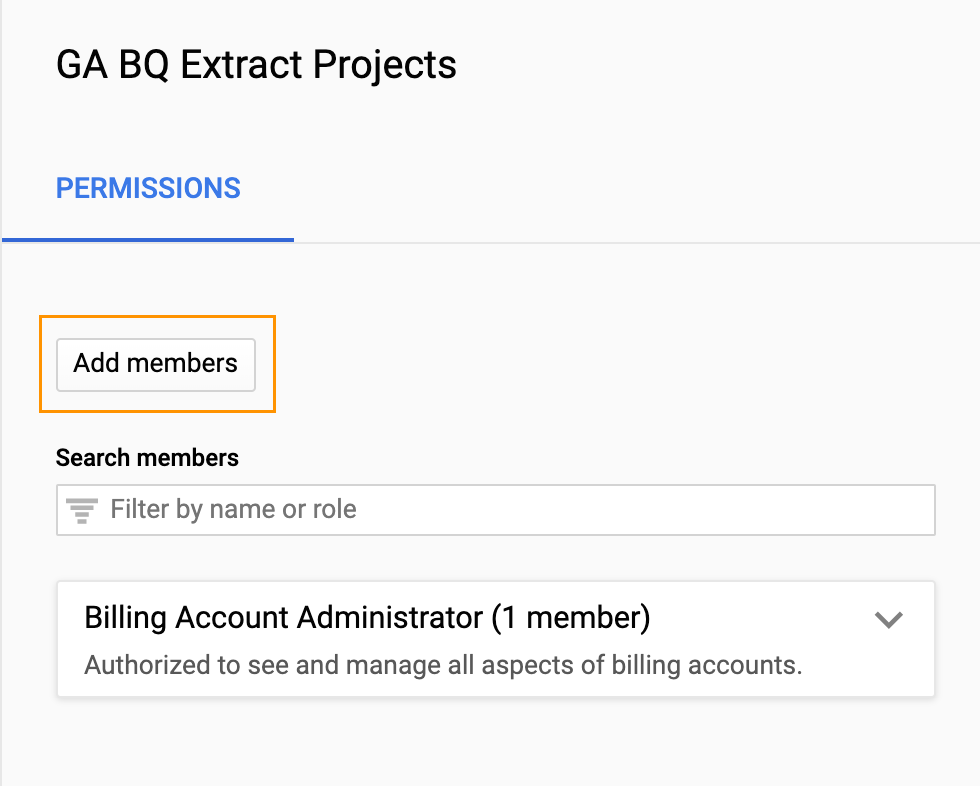
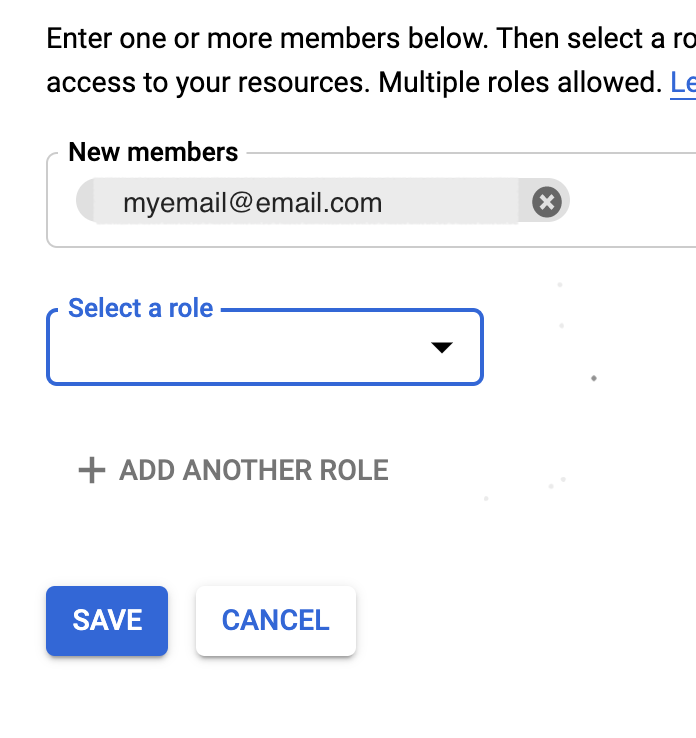
In the “New members” box, enter the desired email address with which your sharing access
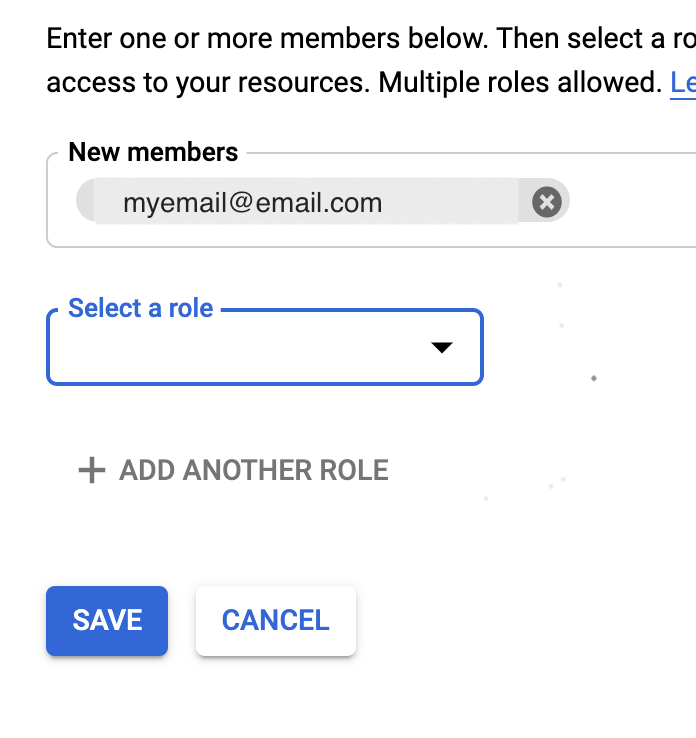
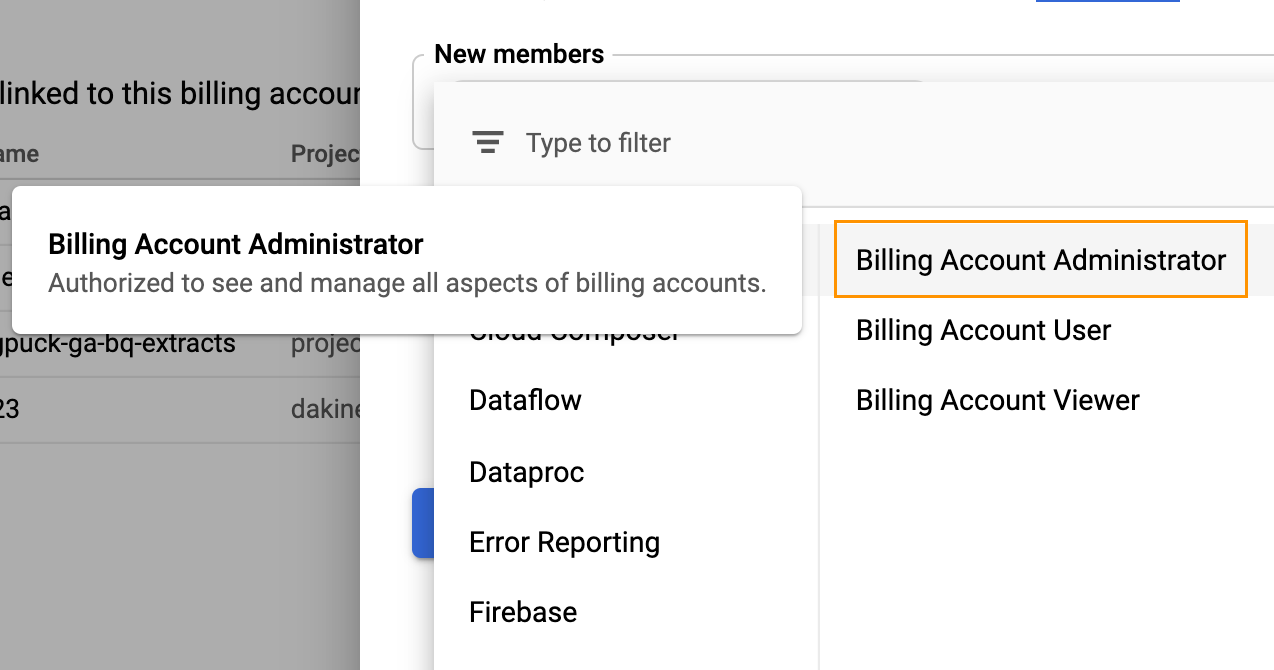
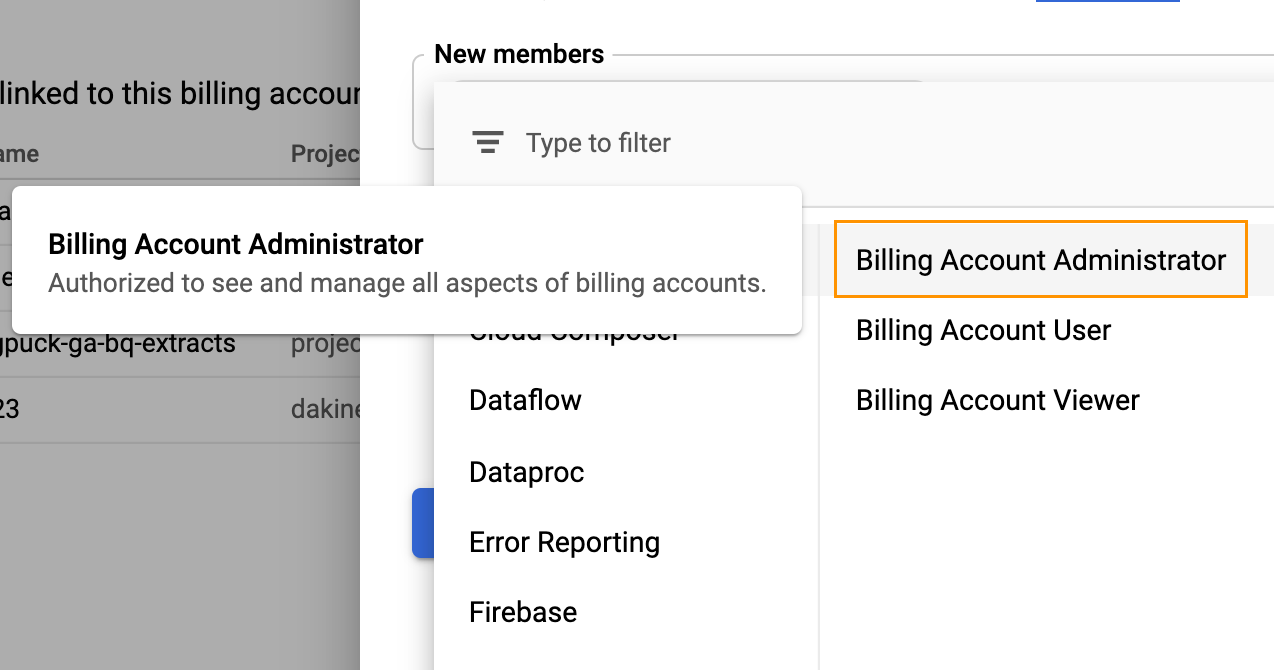
Under "Select a role" choose Billing -> Billing Account Administrator
Save
Repeat steps 6 - 9 to add other accounts.
Why Share Billing?
Because projects gradually increase their cost on GCP, and sharing billing allows for monitoring of those costs more broadly. There are manual and automated ways to monitor.
Manual: setting limits or goals in Billing, and then logging in occasionally to see costs.
Automated: enable billing export to BigQuery, which is free, then hook up BQ to a Datastudio dashboard, or set scheduled queries to check costs. BQ integration is super helpful since you can then set thresholds in your dashboard or query to indicate when costs are above or below the bar.
Setting Up Billing Extract
Here is a great set of instructions from Google on enabling the export of Billing data from GCP to BQ. What it lacks is an explanation of how to share Admin rights to your Billing account, and how that is completely different from sharing Admin rights to your Projects.

Oh my gosh: when I call cloud "cloug" in a post, please berate me for it. I'm not correcting the image for the post. Apologies.